


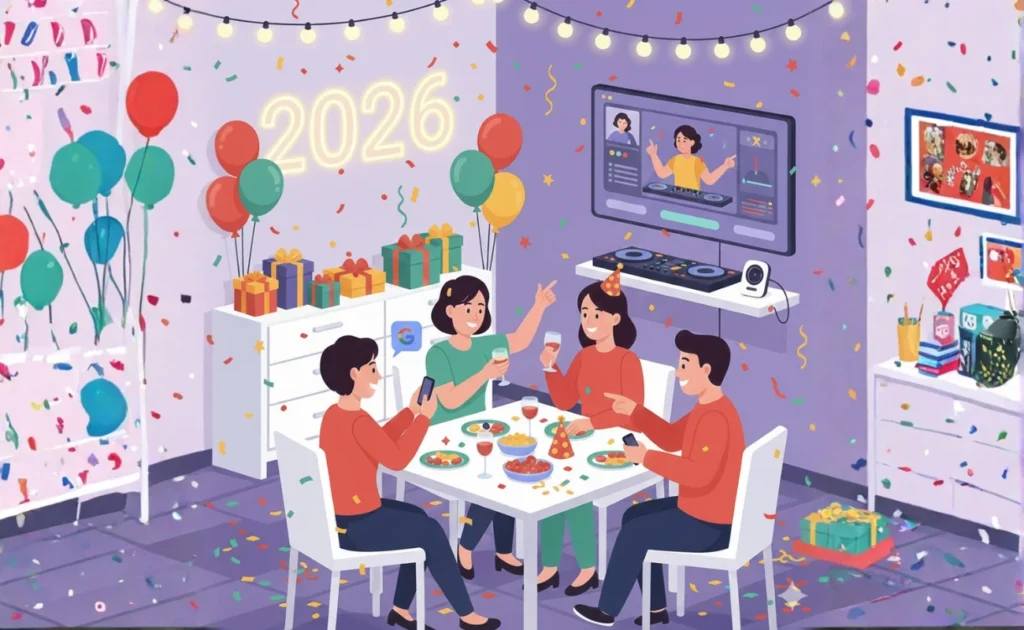
Ring in 2026 with less stress and more celebration using 25 AI Prompts Gemini, Search and other Google AI tools to handle the details.
New Year’s Eve is the ultimate party night — and the ultimate planning challenge. Between coordinating guests, creating the perfect atmosphere and timing everything for that midnight countdown, there’s a lot to juggle. Let Google AI help you pull off a celebration everyone will remember (for all the right reasons). Whether you’re hosting an intimate gathering or a house party for the ages, these 25 AI prompts and tips will make planning feel effortless.
Get the guest list and invitations sorted
1. Create a party planning Gem in Gemini
Start by making a custom Gem that knows all your party details. Try instructions like: “You’re an expert New Year’s Eve party planner helping me host a celebration for 20 friends at my home. The vibe is elegant but fun, with a midnight champagne toast and dancing. Help me with all planning decisions.” Each time you return to this Gem, it’ll remember your context and give relevant advice.
2. Draft creative invitation wording
Ask Gemini: “Write three different invitation options for my New Year’s Eve party — one formal, one casual, and one funny. Include date, time, dress code and RSVP details.” Pick your favorite or mix and match elements.
3. Design custom invitation graphics
Use Nano Banana Pro in the Gemini app with a prompt like: “Create a festive New Year’s Eve party invitation background with gold confetti, champagne glasses and a midnight cityscape. Art deco style.” Then add your party details using Google Photos or your favorite design tool.
4. Manage RSVPs and dietary needs
Ask Gemini in Google Sheets: “Create a guest tracking spreadsheet with columns for name, RSVP status, plus-ones, dietary restrictions, and arrival time. Include formulas to count total guests.” Click the “Ask Gemini” button in Sheets to get this set up instantly.
Plan your menu and drinks
5. Build a crowd-pleasing menu
Try this prompt: “Suggest a New Year’s Eve party menu for 20 people that includes appetizers, a main course option, dessert and midnight snacks. Keep it elegant but not too complicated to prepare. Account for 2 vegetarians and 1 gluten-free guest.”
6. Calculate quantities perfectly
Ask: “I’m serving shrimp cocktail, cheese board, stuffed mushrooms and bruschetta as appetizers for 20 people. How much of each should I prepare so everyone gets enough without tons of waste?”
7. Create a signature cocktail
Use this prompt: “Design a signature cocktail for New Year’s Eve that’s champagne-based, easy to make in batches, and looks impressive. Include a fun name and garnish ideas.”
8. Get a shopping list organized by store section
Ask Gemini: “Based on my menu [paste your menu here], create a detailed shopping list organized by grocery store sections like produce, dairy, meat, pantry items and beverages.”
9. Find recipes everyone will love
Use AI Mode in Search to ask: “Find me make-ahead appetizer recipes perfect for New Year’s Eve that can be prepared the day before.” You’ll get visual, shoppable results with reviews to help you decide.
10. Adjust recipes for your crowd
While cooking, ask Gemini for Home: “Hey Google, I need to triple this recipe that calls for 2 cups of flour. How much flour do I need?” It’s perfect for quick math when your hands are full.
Set the perfect atmosphere
11. Design your decor scheme
Ask Gemini: “Suggest a cohesive New Year’s Eve decoration theme using gold, black and white. Include ideas for the entrance, dining area, drink station and photo backdrop. Keep budget under $200.”
12. Visualize decor before buying
Use Mixboard from Google Labs to explore different decoration ideas. Input your color scheme and style preferences, then refine the concepts using both images and text until you find exactly what you’re envisioning.
13. Try decor virtually with Google Lens
Snap a photo of your living room using Google Lens, then ask: “Show me how black and gold balloon arrangements would look in this space” using Nano Banana to generate visual mockups before you commit.
14. Create the ultimate playlist
Try this prompt: “Create a New Year’s Eve playlist that starts with upbeat dinner music around 8pm, transitions to danceable hits by 10pm, and includes classic countdown songs for midnight. Mix decades from 80s to current hits.”
15. Set up smart home automation
In the Google Home app, create an automation: “At 11:45pm on December 31st, dim the lights to 30%, turn on my party playlist, and turn on the disco ball plug.” This way, you won’t forget to set the mood for the countdown.
Keep the party flowing
16. Plan activities and games
Ask Gemini: “Suggest 5 party games or activities for New Year’s Eve that work for mixed ages and don’t require lots of setup. Include at least one game specifically for the hour before midnight.”
17. Write a hosting timeline
Use this prompt: “Create an hour-by-hour hosting timeline for my New Year’s Eve party from 7pm to 1am, including when to put food out, when to refresh drinks, when to start games, and countdown preparation.”
18. Generate conversation starters
Ask: “Give me 20 fun conversation starter questions perfect for New Year’s Eve, focusing on memories from this year and hopes for next year. Keep them light and engaging.”
19. Handle last-minute guest questions with Magic Cue
If you have Pixel 10, Magic Cue can anticipate your needs and link information across apps. When guests text “what’s your address?” or “what time again?” Magic Cue will suggest relevant responses so you can reply with one tap while you’re busy hosting.
Capture the memories
20. Plan photo moments
Ask Gemini: “Suggest 5 photo opportunity ideas for my New Year’s Eve party, including props, timing and locations in my home. One should be specifically for the midnight countdown.”
21. Get everyone in the picture
Use Pixel’s Add Me feature to make sure you’re in the group shots too. Take one photo of your guests, then have someone photograph you in the same spot. Pixel will combine them so the host isn’t missing from the memories.
22. Create a fun photo backdrop
Try this prompt with Nano Banana Pro: “Design a New Year’s Eve photo booth backdrop with giant 2026 numbers, metallic streamers and a starry night theme. Modern and Instagram-worthy.”
23. Set up a shared photo album
Before the party, create a shared album in Google Photos and use Gemini to draft a message: “Write a text I can send to guests with a link to our shared photo album, encouraging them to add their favorite moments from tonight.”
Wrap up smoothly
24. Send thank you messages
The day after, ask Gemini: “Write 3 warm thank you message templates for my New Year’s Eve party guests — one for close friends, one for acquaintances, and one for someone who brought a gift. Keep them genuine but brief.”
25. Preserve the best moments
Use Google Photos’ “Help me edit” feature to perfect your favorite party pictures. Ask it to enhance lighting, remove photo bombers, or even create a highlight video from all your photos and videos from the night with natural language commands like “create a fun video from last night’s party with upbeat music.”
Ready to make it happen?
With these 25 AI prompts and Google AI tools, you’ll spend less time stressing over details and more time actually enjoying your own party. Here’s to ringing in 2026 surrounded by friends, great food, and zero hosting anxiety. Happy planning — and Happy New Year!
Try Gemini today to start planning your perfect New Year’s Eve celebration.